


.avif)
.avif)
.avif)

iPhone Text Effects: Tips and Tricks
September 21, 2026

Phones


Airplane mode is a setting on phones, tablets, and other wireless devices that shuts down all radio-frequency communication so the device won’t send or receive signals during a flight. When airplane mode is activated, features such as cellular service, Wi-Fi, Bluetooth, and GPS stop transmitting, which prevents interference with aircraft communication and navigation equipment.
Even Airplane Mode disables these connections, the device itself continues to function normally, allowing you to use offline apps, listen to downloaded music, read stored content, or take photos without affecting the aircraft’s systems. Airplane mode is useful not only in the air but also on the ground, offering a quick way to conserve battery life, reduce distractions, and pause wireless activity whenever you need a moment of uninterrupted focus.
{{cta_carousel}}
Airplane Mode disables the following on your phone when it's engaged:
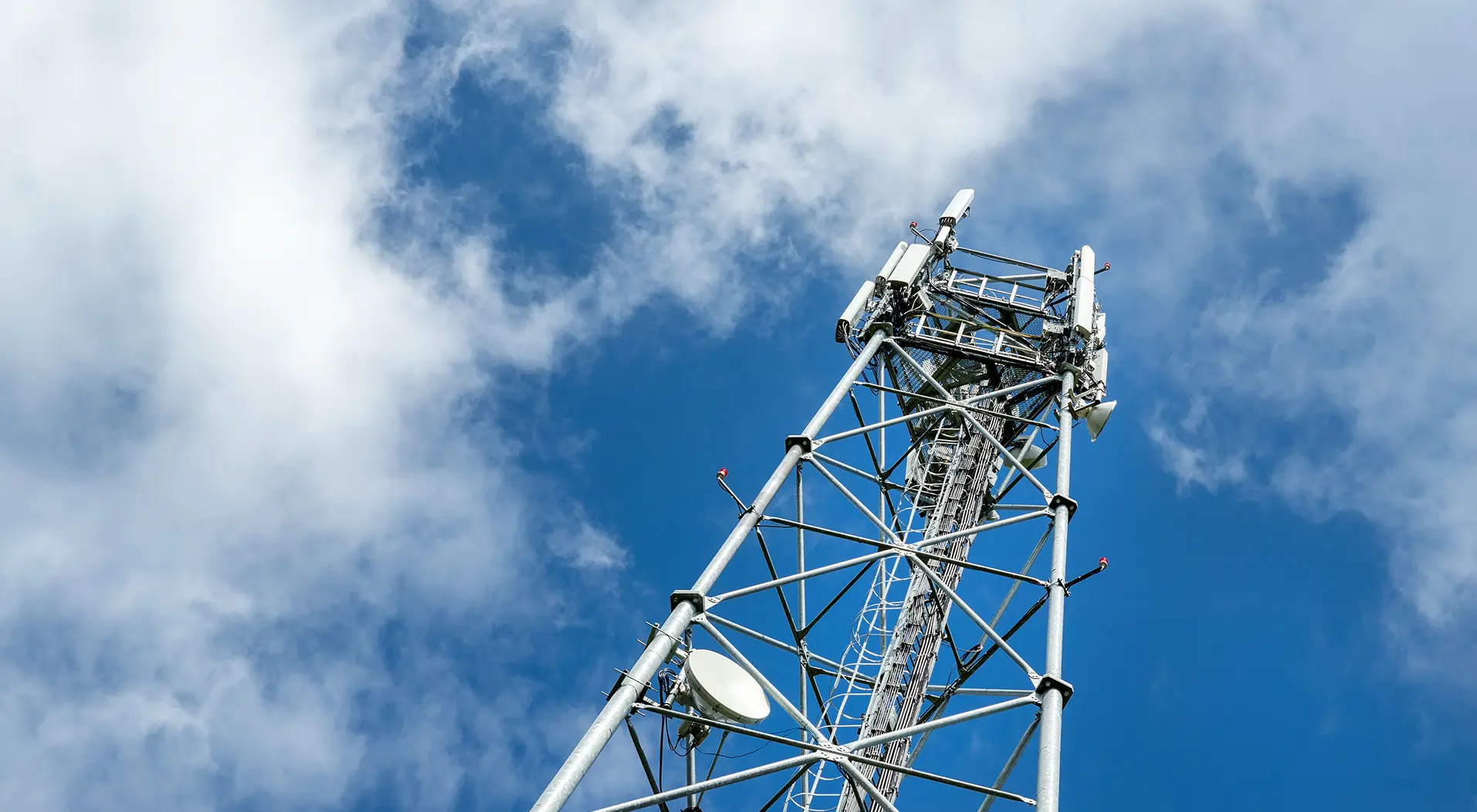
Turning on airplane mode stops your device from communicating with nearby cell towers. This means no phone calls, no SMS text messages, and no mobile data. Your phone won’t even try to search for a signal until airplane mode is turned off or cellular is manually re-enabled (if your device allows it).
When you first enable airplane mode, your device immediately disconnects from any Wi-Fi network and stops scanning for new ones. Most modern phones still allow you to turn Wi-Fi back on manually while keeping airplane mode active, which is handy for in-flight Wi-Fi or using internet features without enabling cellular radios.
Airplane mode also shuts off Bluetooth initially, disconnecting accessories such as wireless earbuds, keyboards, and smartwatches. Just like Wi-Fi, Bluetooth can usually be switched back on individually without disabling airplane mode, allowing you to use wireless devices during your flight if permitted.
GPS isn’t fully disabled by airplane mode because it’s a receive-only service—your device listens for satellite signals rather than transmitting. However, because airplane mode turns off cellular and Wi-Fi (both of which help refine location accuracy), your GPS-based apps may become slower, less precise, or unable to determine your exact location without additional data.
Some devices also disable NFC when airplane mode is activated. NFC powers features like tap-to-pay and quick device pairing. If your phone turns off NFC in airplane mode, you won’t be able to use mobile payment terminals or share data with another device until you turn it back on—if your device supports enabling it separately.
Newer phones with UWB technology may shut it off in airplane mode. UWB is used for precision finding (like locating tracking tags) and for certain secure device-to-device interactions. Airplane mode disables it to ensure no unintended radio transmissions occur.
Since mobile hotspot features rely on cellular data, airplane mode turns them off as well. You also won’t be able to share your connection with other devices until cellular (and optionally Wi-Fi) is manually re-enabled.
Turning on Airplane Mode on your phone can offer the following lifestyle benefits:
With wireless connections turned off, your device won’t automatically connect to unfamiliar networks or transmit data. This can reduce tracking and help keep your information more secure.
If you’re close to hitting your data limit, airplane mode prevents apps from running online in the background and using up precious megabytes.
Turning on airplane mode at night keeps notifications from interrupting your rest. It also reduces screen-time temptations since your device stays quiet.
When you need your phone for offline tasks—like taking photos or checking downloaded notes—airplane mode ensures you won’t accidentally dial or send messages.
If your device feels laggy or overloaded, switching airplane mode on and off can refresh network connections and clear minor glitches.
If airplane mode is so critical, why have we all seen someone using their phone normally on planes, without ending in catastrophe? It turns out there is a disconnect between the commonly understood reasoning behind airplane mode and its actual purpose.
In previous decades, it was claimed that cell and radio signals being transmitted from multiple devices in an airplane would disrupt both the radio frequency the pilots were using and the navigational equipment. That doesn't sound great, especially if you're on the plane being disrupted by those signals. Many of these complaints held water at the time; multiple pilots reported distracting noises and other glitches that came with the overuse of mobile phones on airplanes.
However, in the 1990s, an investigation concluded that there was no significant effect on communication or navigational equipment from using cell phones with their network capabilities. As of 2022, there is no reason to believe that our phones pose any danger to the aircraft’s communication when we are flying.
Instead, the Federal Communications Commission (FCC) has posed another reason for airplane mode. While the plane itself is not affected by these radio signals, there is still reason to believe that there are noticeable effects on the ground level.When flying, a person moves very fast through the air, and as a result, they connect to multiple cell towers as they pass by. This can disrupt the service provided by those cell towers, given the high volume of users on airplanes and the fast movement of the aircraft.
If there is no actual danger posed by using your phone network on a plane, then why do airplane companies push airplane mode so hard? Well, for starters, it is essential to remember that over two billion people per year fly, and that is a lot of people in the air per day. As we mentioned earlier, the FCC needs to protect cell towers on the ground to ensure they are not overloaded. These cell towers are built to cater to large groups of people in static communities, and all these people flying muddles the way they work.
You might not care about this when you're on the plane, but this matters to you when you're on the ground. If people connect to networks while zipping through the air hundreds of miles per hour, that might affect the quality of your network connection while you're out and about.
In addition to that, there are also new concerns popping up all the time. For example, 5G networks are now one of th eprimary ways people connect to mobile data. Many in the aviation industry have pointed out the bands set aside for 5G are very close to those used for aviation. This has not caused any issues yet, but it is best practice to approach flying and using these networks with caution.
Moreover, it isn’t even necessary to use cellular data after take-off, with in-flight Wi-Fi networks becoming more common. While voice calls are still inaccessible in the air, streaming services, web browsing, and messaging apps like WhatsApp or iMessage are easy to reach with many in-flight Wi-Fi services.
Whether or not your phone is in airplane mode, you've probably noticed that you don't get great coverage when you're 35,000 feet in the air. What gives?
Cell phones work by connecting to a shared mobile network, like the ones run by Verizon, T-Mobile, and AT&T. These connections are made with cell phone towers. Our mobile devices need to be in the range of these towers for our phones to connect with our carrier’s network.When you get in an airplane, you’ll end up tens of thousands of feet in the air, and after 10,000 or so feet, you will no longer be in the range of a cell tower.
Plus, your aircraft is going very fast and has solid metal walls, making it difficult to get a signal.
Many airlines will offer WiFi on domestic flights over landmasses if you are willing to pay. This lets you connect to the Internet and even connect to Internet-based texting and calling through apps like iMessage, WhatsApp, and Facebook Messenger. However, this connection to the onboard Internet is not connecting you to any cell towers, making it a completely different process.
Airplane mode is not without its usefulness. It can prevent air travel from overloading ground cell towers, and it is a safeguard against future communication malfunctions. That said, it is also not the shield against aircraft damage that many people believe it is. Airplane mode has not been shown to make any notable difference regarding airplane safety, and modern cellular connections do not interfere with navigation systems or radios on the plane, meaning that you will not cause a crash from checking your emails as the plane takes off. The primary purpose of airplane mode is to help ensure that these networks run smoothly for everyone.
The purpose of Airplane Mode is to disable all wireless communications, including cellular, Wi-Fi, and Bluetooth, to comply with airline regulations and prevent interference with aircraft systems. It also helps save battery and can speed up charging by reducing background activity.
When you turn on Airplane Mode, your phone disables all wireless connections, including cellular networks, Wi-Fi, and Bluetooth. This prevents your device from sending or receiving signals, though you can manually re-enable Wi-Fi and Bluetooth while still in Airplane Mode.
No, you cannot receive texts while in Airplane Mode because all wireless communications, including cellular data, are disabled. However, if you turn Airplane Mode off and your phone reconnects to the network, any missed texts will be delivered.














.png)